

In a short experiment, Denis asked an AI code assistant to solve a simple task. The result was telling: without strong coding skills and a solid grasp of system architecture, AI-generated code can quickly become overcomplicated, inefficient, and challenging to maintain.
The Current Situation
People have mixed feelings about AI coding assistants. Some think they’re revolutionary, others don't trust them at all, and most engineers fall somewhere in between: cautious but curious.
Success stories rarely help. Claims like “My 5-year-old built this in 15 minutes” are often dismissed as marketing exaggeration. This skepticism slows down adoption, but it also highlights an important point: both the benefits and the limits of these tools need a realistic understanding.
Meanwhile, reputable vendors are forced to compete with hype-driven sellers, often leading to:
- Drop in quality. Products ship with bugs or unstable features.
- Development decisions driven by hype, not user needs.
- Unpredictable roadmaps. What works today may break tomorrow.
Experiment: How Deep Does AI Coding Go?
I ran a small experiment using three AI code assistants: GitHub Copilot, JetBrains Junie, and Windsurf.
The task itself is simple. We use it in interviews to check candidates’ ability to elaborate on tech architecture. For a senior engineer, the correct approach usually takes about 3 to 5 seconds to give a solution. We’ve tested this repeatedly, and the result is always instant. (We'll have to create another task for candidates after this article is published.)
Copilot-like tools are historically strong at algorithmic tasks. So, when you ask them to create an implementation of a simple class with well-defined and documented methods, you can expect a very good result. The problem starts when architectural decisions are required, i.e., on how exactly it should be implemented.
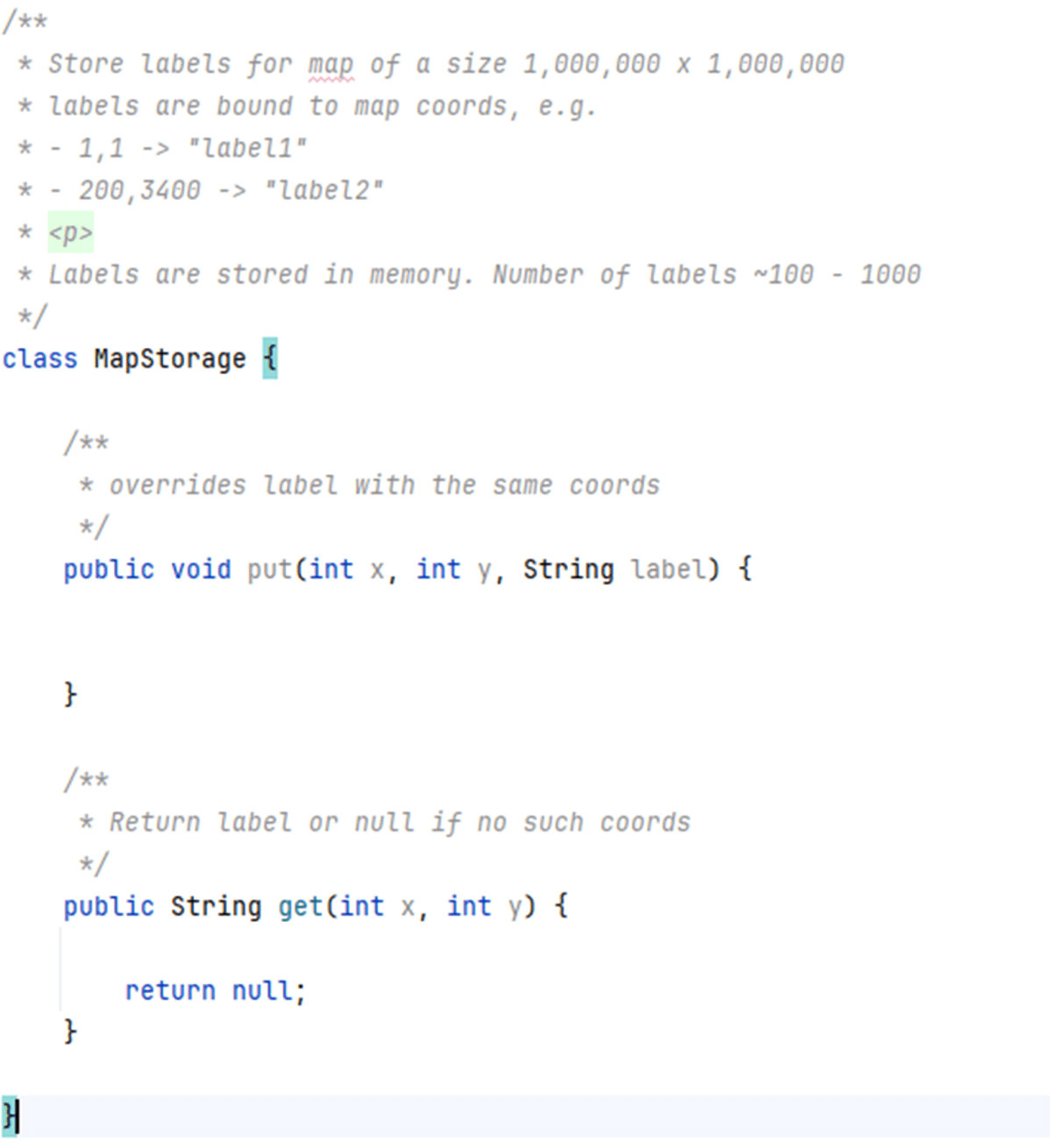
Junie: A Step-by-Step Breakdown
Junie, GitHub Copilot, and Windsurf showed similar results. Here is a step-by-step breakdown for the Junie prompting.
Prompt 1: Implement class logic
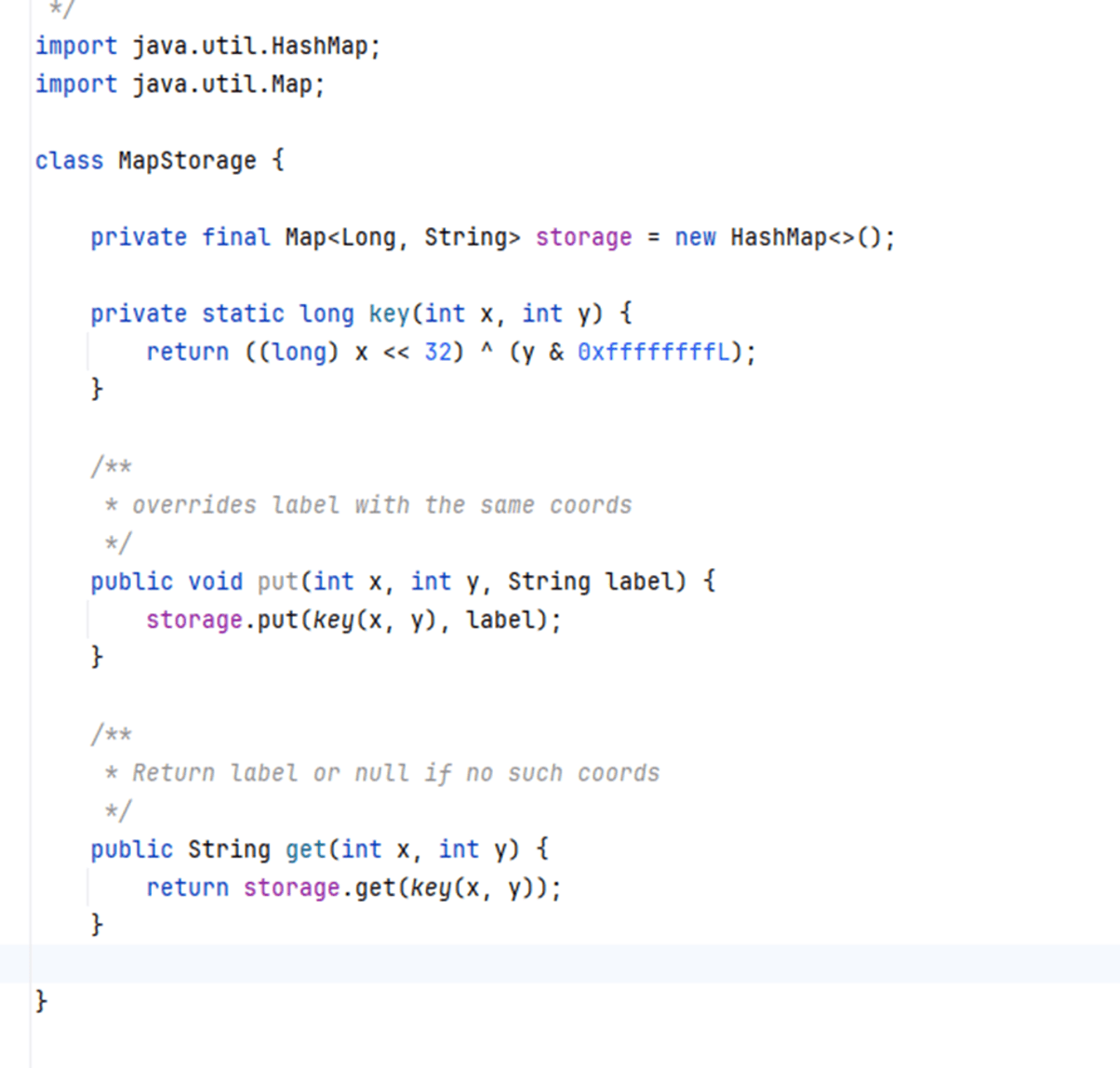
The result would not pass a code review. The logic was unnecessarily complex for the given task, but it is generally acceptable. Let’s assume I don't have skills in Java tech architecture and accept this solution.
Prompt 2: Make this thread-safe
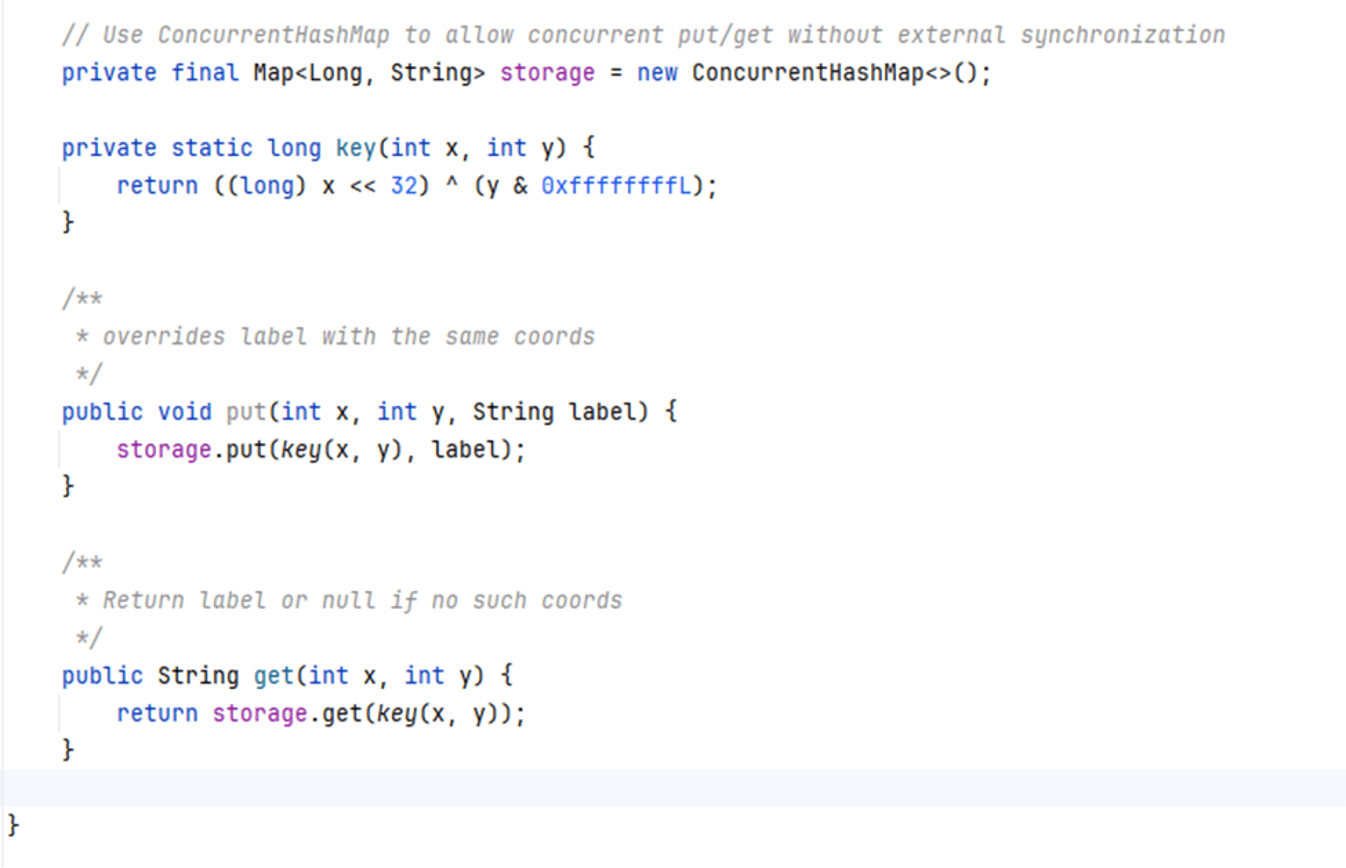
The assistant produced a technically correct solution. Still, the task itself was trivial.
Prompt 3:
Implement method `List<String> getAllLabelsSorted()` that should return all labels sorted by proximity to point [0,0].
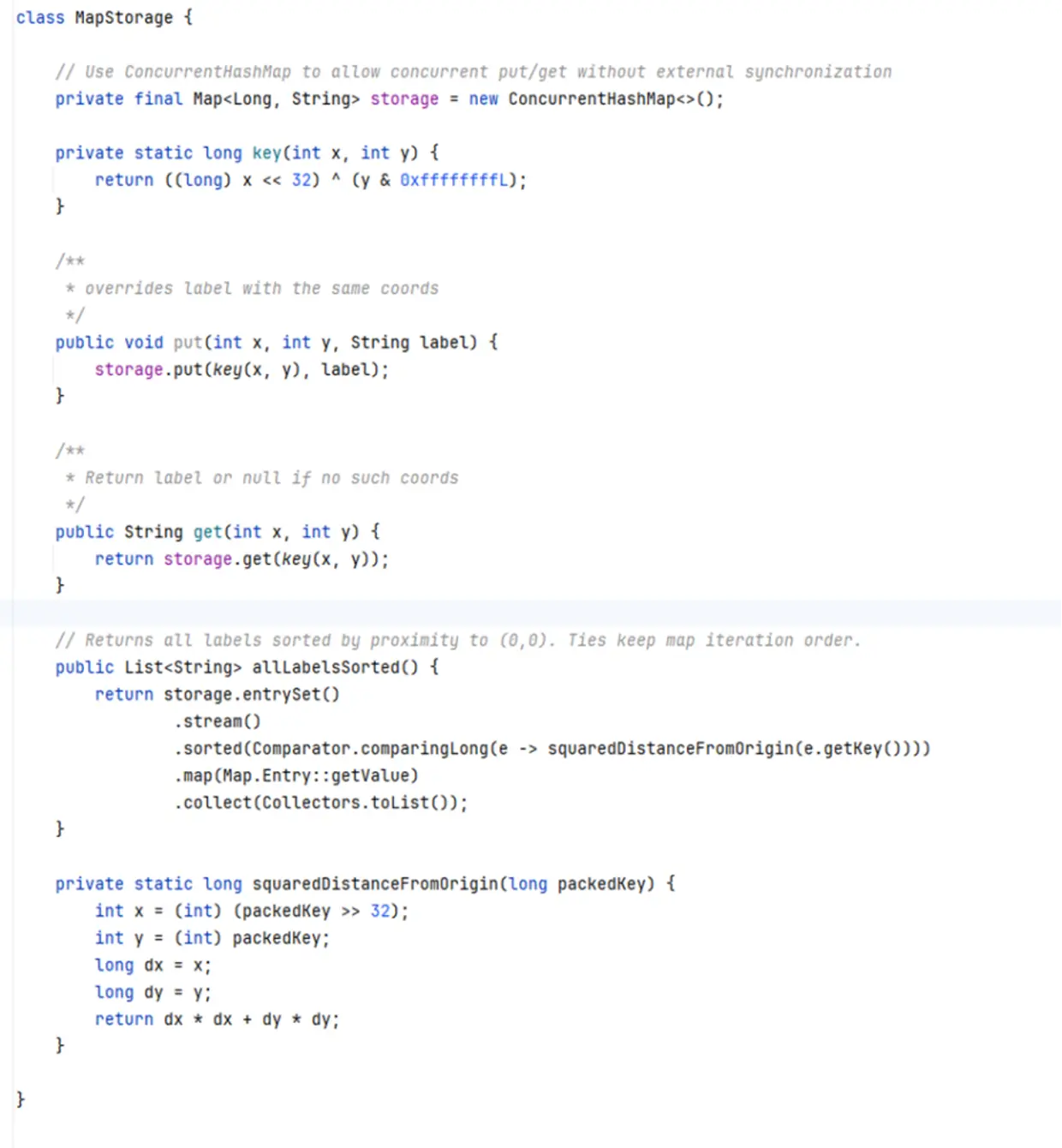
This is where things started to unravel. The code could be less wordy. As I mentioned, LLMs excel at algorithmic tasks, but not for a good reason. It unpacks a long into two ints and sorts them each time I use the method. At this point, I would expect it to use a TreeMap, simply because it stores all sorted entries and gives us O(log n) complexity for both inserts and lookups.
So I pushed further.
Prompt 4: I do not want to re-sort labels each time the method is called.
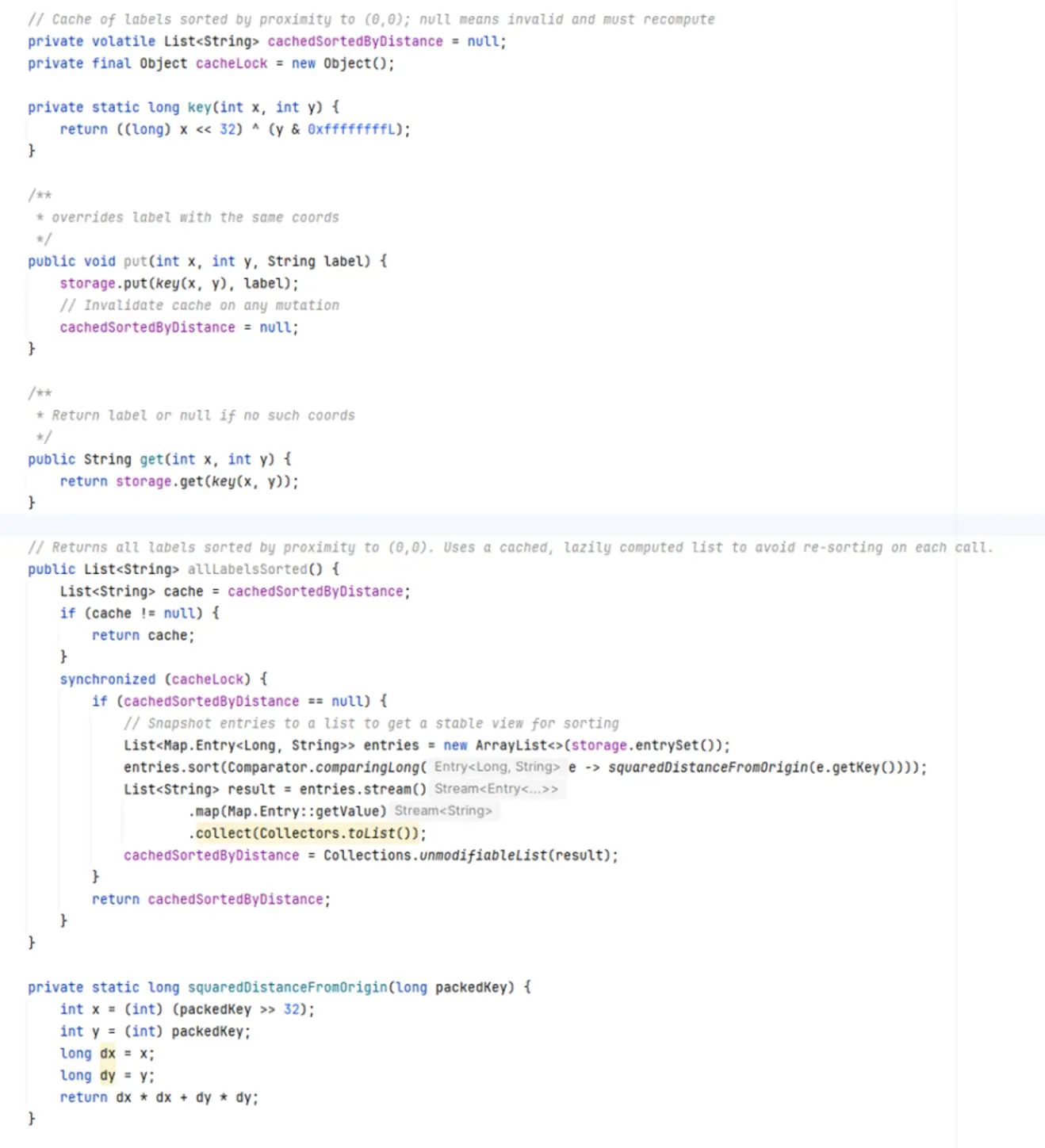
OMG!!! Cache!!! What could be worse!?
From there, I tried multiple prompts, aiming for a canonical solution with a TreeMap-like structure and a record with a comparator (without mentioning TreeMap directly, let's assume I am not familiar with it).
No luck. The more I asked, the hairier the solution became. I ended up with three screens of hardly readable code.
The solution I was looking for is straightforward: it uses specific classes, is thread-safe, and does not store excessive data.
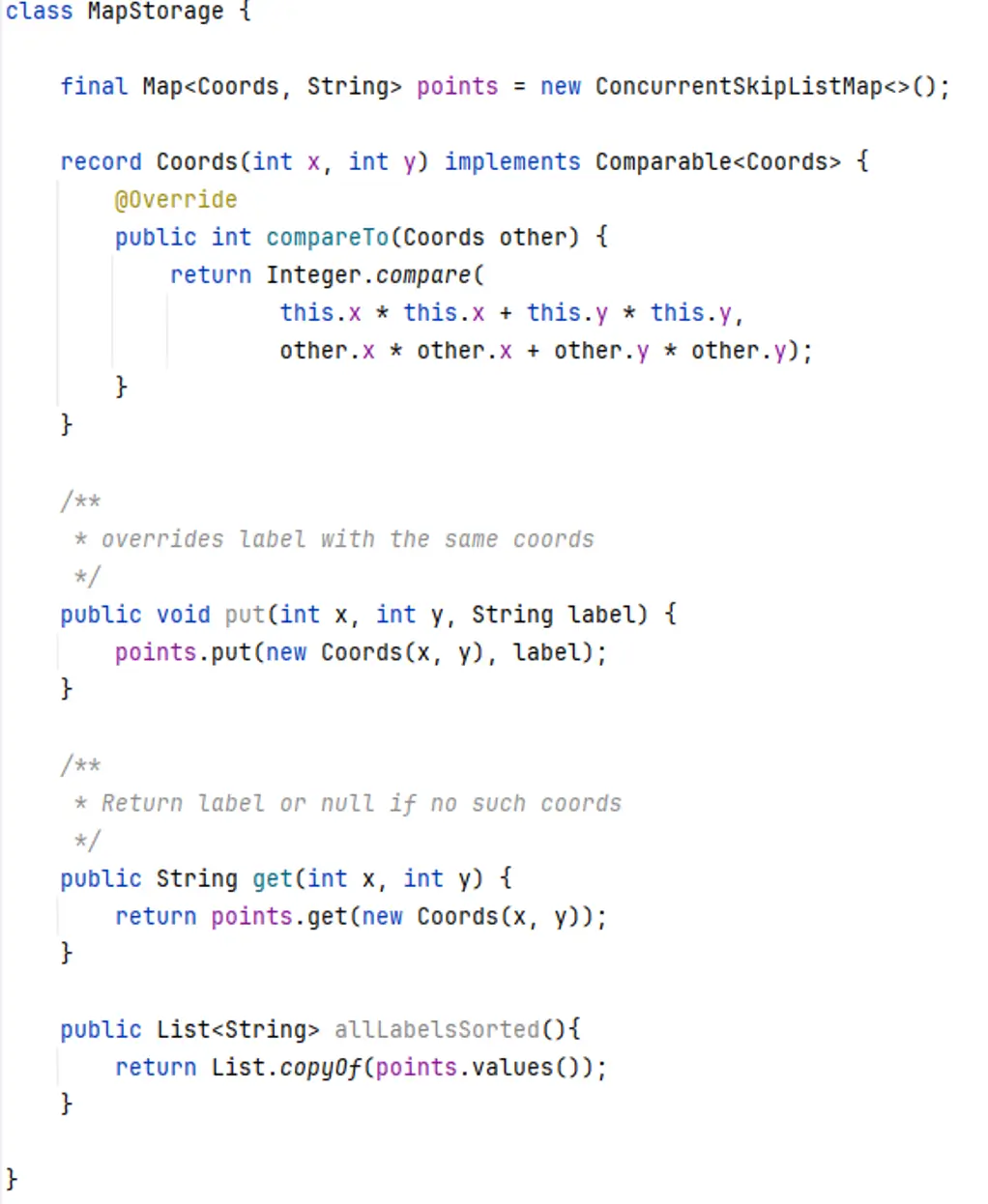
Yes, this approach is opinionated. It has (log(n)) complexity. But this is what I was going to achieve. The problem is that I can get this code from AI only if I know at least 50% of the solution and can explain it in technical terms. If you start using an AI agent without a clear understanding of the desired result, the output becomes effectively random.
Can AI agents be instructed to use the right technical architecture? You can instruct them to use records, for instance, but you cannot instruct common sense. You can create a project.rules.md file that covers specific rules, but you cannot reuse it as a universal solution for each project.
The Real Problem with AI-Assisted Code
The biggest problem is supportability. The code might work, but its quality is often questionable. Code that’s hard to support is also hard to change. That’s a problem for production environments that need frequent updates.
Some people expect that future tools will generate code from requirements alone, but that's still a long way off. For now, supportability is what matters.
What the Analysis Shows
AI coding assistants can quickly turn your code into an unreadable mess if:
- Instructions are vague.
- Results aren’t checked.
- Prompts aren’t finetuned.
That doesn’t mean you shouldn’t use AI. It just means you need to review every line of generated code, which takes strong code-reading skills. The problem is that many developers lack experience with this.
From our experiments, there’s a limit to how much faster AI-assisted coding can make you. Depending on the language and framework, it can be up to 10-20 times faster, but you still need to read and review the code.
Code assistants work well with stable, traditional, and compliant code in languages with strong structure, such as Java, C#, and TypeScript. But when you use them with code that doesn’t have strong compilation or verification, things get messy. In other parts of the software development life cycle, like code review, the code often breaks.
When you build software, you should know in advance what you are creating. You should also be familiar with current best practices (not Java 11, not Angular 12). And you should read the code. Otherwise, even with a super simple task, you will have non-supportable code very fast.
In my opinion, assistants are already useful for writing code, but they are not ready to replace code review. That may change, but not anytime soon.
Next Steps
Having all of these challenges in mind, here's what you should focus on:
- Start using AI assistants where it makes sense.
- If not in your main project, experiment elsewhere to stay relevant.
- Review your language specifications thoroughly.
- Improve technical architecture skills through practice.
Used thoughtfully, AI can speed you up. Used blindly, it will slow you down later.